Plan Your Trip in Seconds
Discover attractions in cities worldwide and
seamlessly add them into your Google Calendar
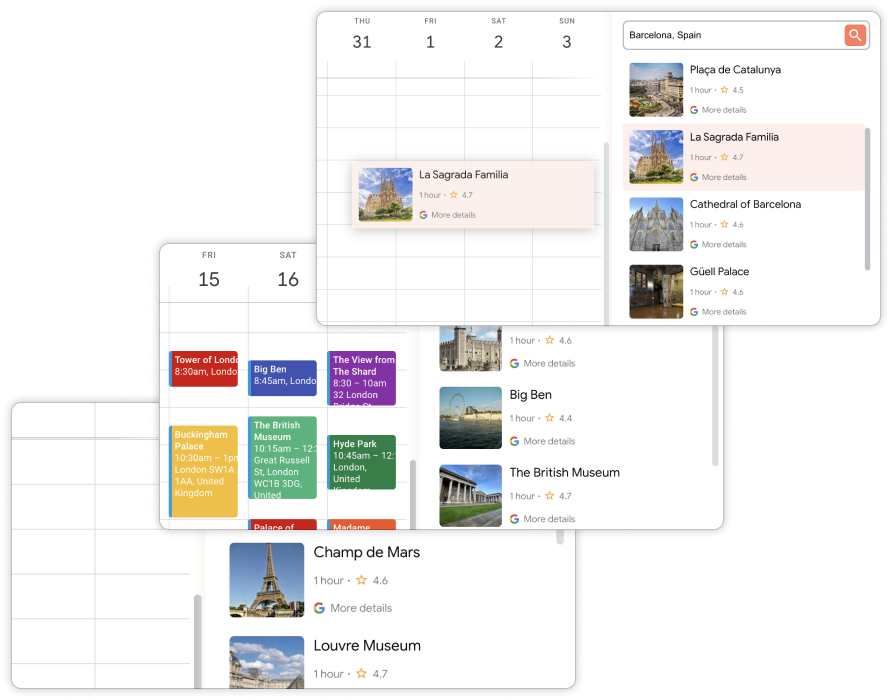
How it works
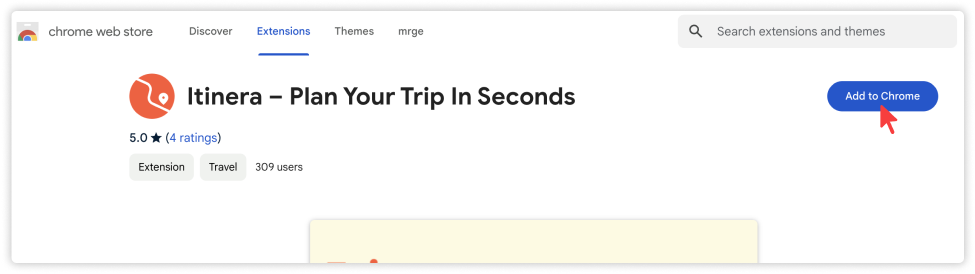
Step 1
Install the Google Chrome extension on your device
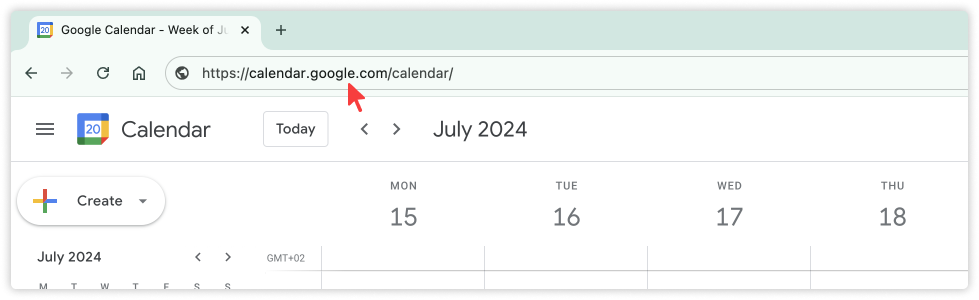
Step 2
Open Google Calendar in the Google Chrome browser
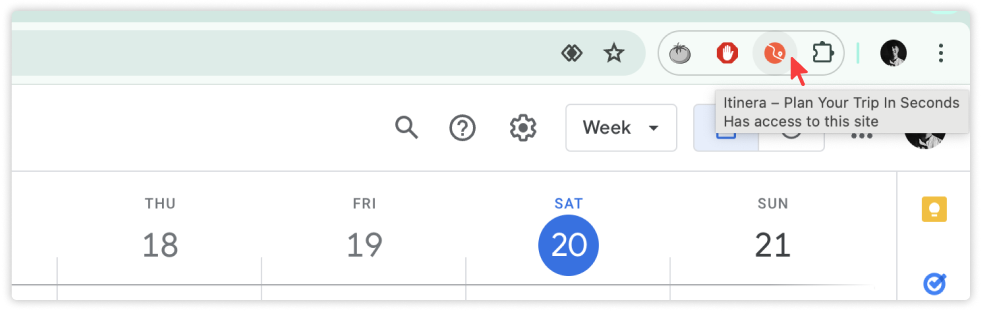
Step 3
Click on the extension icon on the top right

Step 4
Navigate to the button on the right of the page and click on the orange button
Step 5
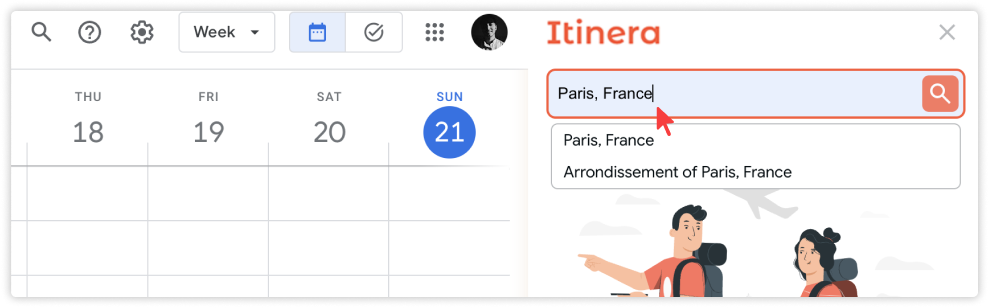
Type the destination you are planning to visit
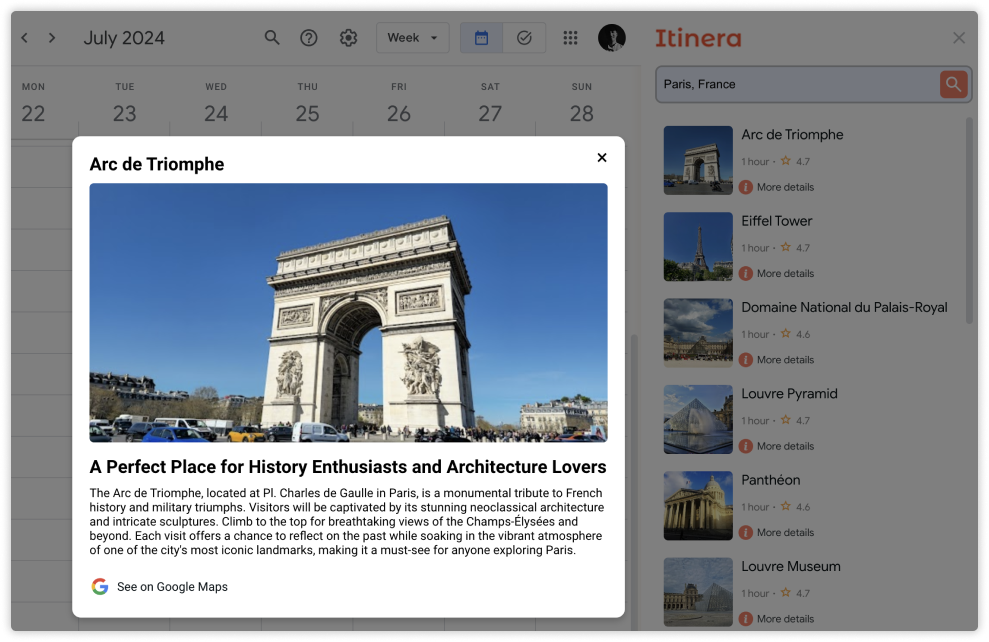
AI Feature (OpenAI) 🤖
Step 6
Browse through activities and read more details about the attractions
Step 7
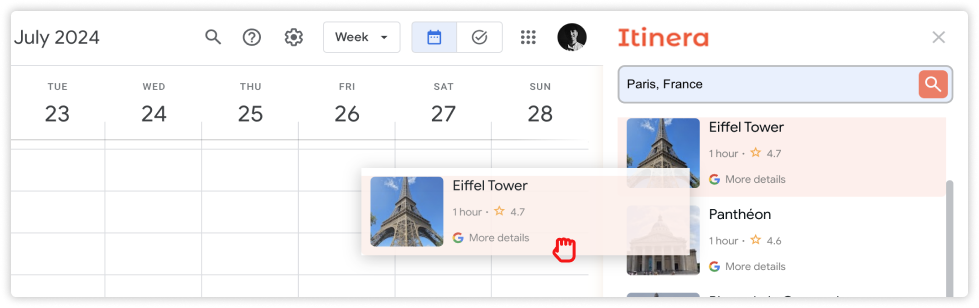
Drag the chosen activities
Step 8
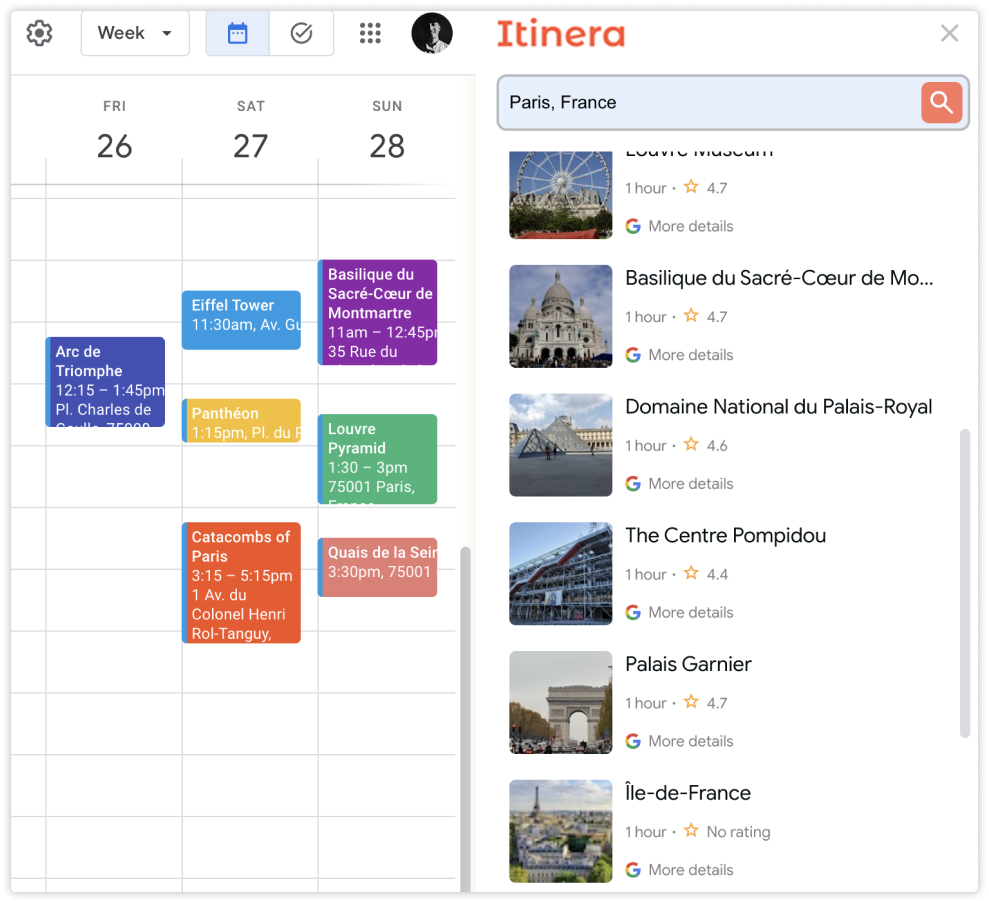
Here you go - you have a plan for your trip!